
Always make a copy of any template before you modify it.
Project Tracker Templates are Excel .xlsx files so can be modified in Excel.
The location of the templates can be found from the System Tab on the Project Tracker Manage page
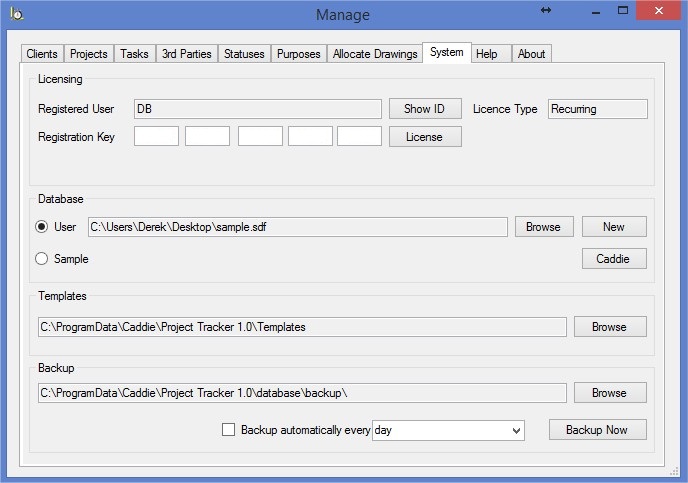
Project Tracker uses Named Ranges to determine where to enter information into the templates. If you delete a Named Range, Project Tracker will not be able to enter the required information and may throw an error.
You can see a list of all the Named Ranges and their locations by going to the 'Name Manager' on the 'Formula' tab of Excel
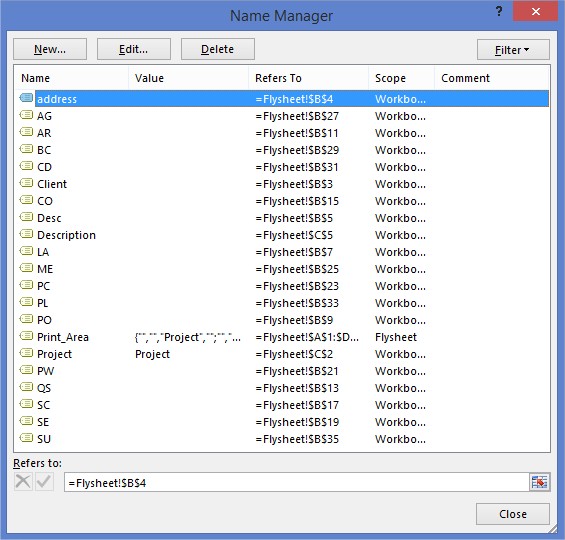
You can make any changes you like to the template as long as you do not erase any of the Named Ranges.