 DIMS DimStr
DIMS DimStr
DIMS DimStrStretch a selected dimension and any selected points to a new value in the direction of the dimension.
Select the text on side of the dimension that is to be stretched.
Complete the dialogue with the new value and select OK.
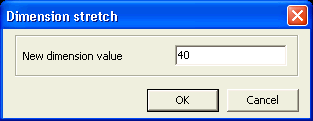
Select the area which is to include all the points too be moved with a polygon draw clockwise and option end to complete the selection.
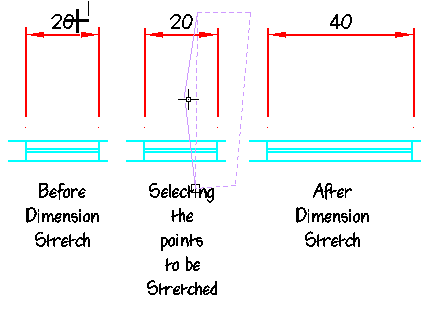
All points included and the dimension will be redrawn with the new parameters.
 Selecting only two diagonal points,
followed with an option end, when drawing the polygon will in effect draw
a rectangular selection.
Selecting only two diagonal points,
followed with an option end, when drawing the polygon will in effect draw
a rectangular selection.