Requires
All versions of Caddie* (The context menu option is from Caddie 17 Build 3)
Question
Can I save and recall a zoomed view.
Answer
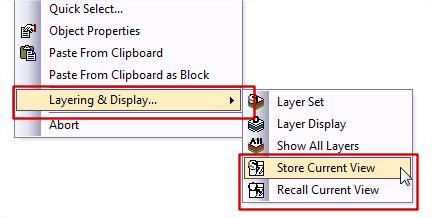
Yes this is done using the Store Zoom and Recall Zoom commands found in the Display section of the Caddie App or from Version 17 build 3 on the context sensitive menu.
With larger drawings, 3D drawings and AEC drawings getting the view on the screen as you previously had set can be time consuming. Using the Save and Recall views commands can save a lot of time, and take you straight to any orthogonal or perspective views you may be using,
Saving / Recalling
To save a view for future recall, use the standard Caddie Display – Store group of commands. For ease of access the store view and Recall View buttons are also on the Context menu under Layers & Display
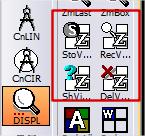
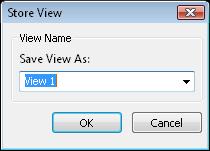
StoView
- Presents a dialogue where you can give the current view a name. This will also remember if the view is perspective or non-perspective
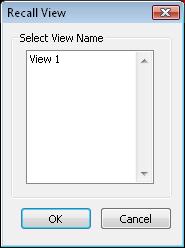
RecView
- Available from the Context Menu under Layers and Display. See Above
- Recalls any previously stored view
- Select the required view from the list and the OK.
Show View position
- Only show views created on the WCS – in other words, as viewed for a 2D drawing, so not of interest here
- Delete View
- Deletes either the indicated or all stores views