 DIMS EditTxt DIMS EditTxt
COMMAND:
Edit dimension text
AIM:
Edit dimension text values calculated by Caddie .
EXECUTION:
Indicate the dimension text to edit. Caddie will display the dimension text dialogue.
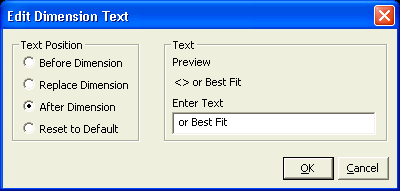
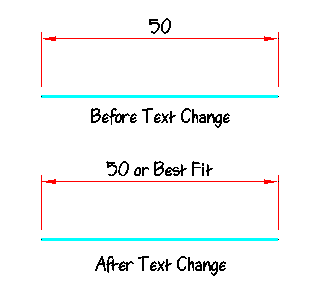
You can now change the dimension text. You can add additional lines to the dimension text, for example: NOT TO SCALE or MODULE 1 etc. To revert to the original dimension text select 'Reset to Default' in the dialogue.
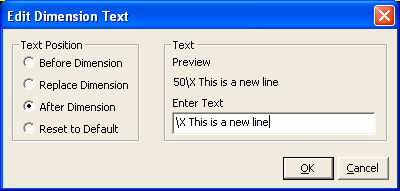
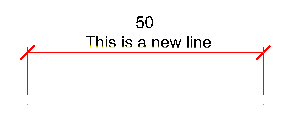
If you want the text to appear on a separate line, pre-fix the text with \X (needs to be a capital X)
EXTENTS & BOUNDS:
Dimensions within Caddie are associative. Should an edited dimension be stretched with the Stretch commands, Caddie will ignore the edited dimension text and recalculate the new dimension from the original dimension value. It is therefore advisable to change the drawing to the correct measurement rather than changing the dimension text.