 DIMS DimAlign DIMS DimAlign
COMMAND:
Align existing dimensions
AIM:
Align existing dimensions horizontally or vertically on the drawing.
EXECUTION:
The DimAlign button will prompt you to indicate the position on the drawing to align the dimension to (1).
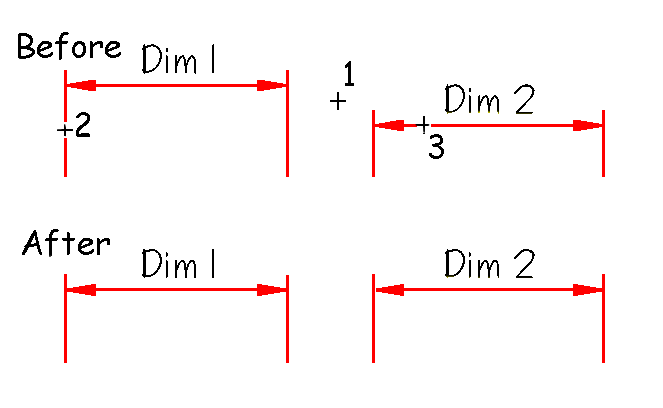
Then select the dimension you want to align to this point. You can select any part of the dimension (2 & 3) and Caddie will align the leader of the indicated dimension set with the indicated position.
EXTENTS & BOUNDS:
None.